Team calendar
One schedule, filtered to the people doing the work.
Create events once, assign team overlays and attendees, link contract records, and carry typed milestones for registration, submissions, travel, reviews, and other deadlines.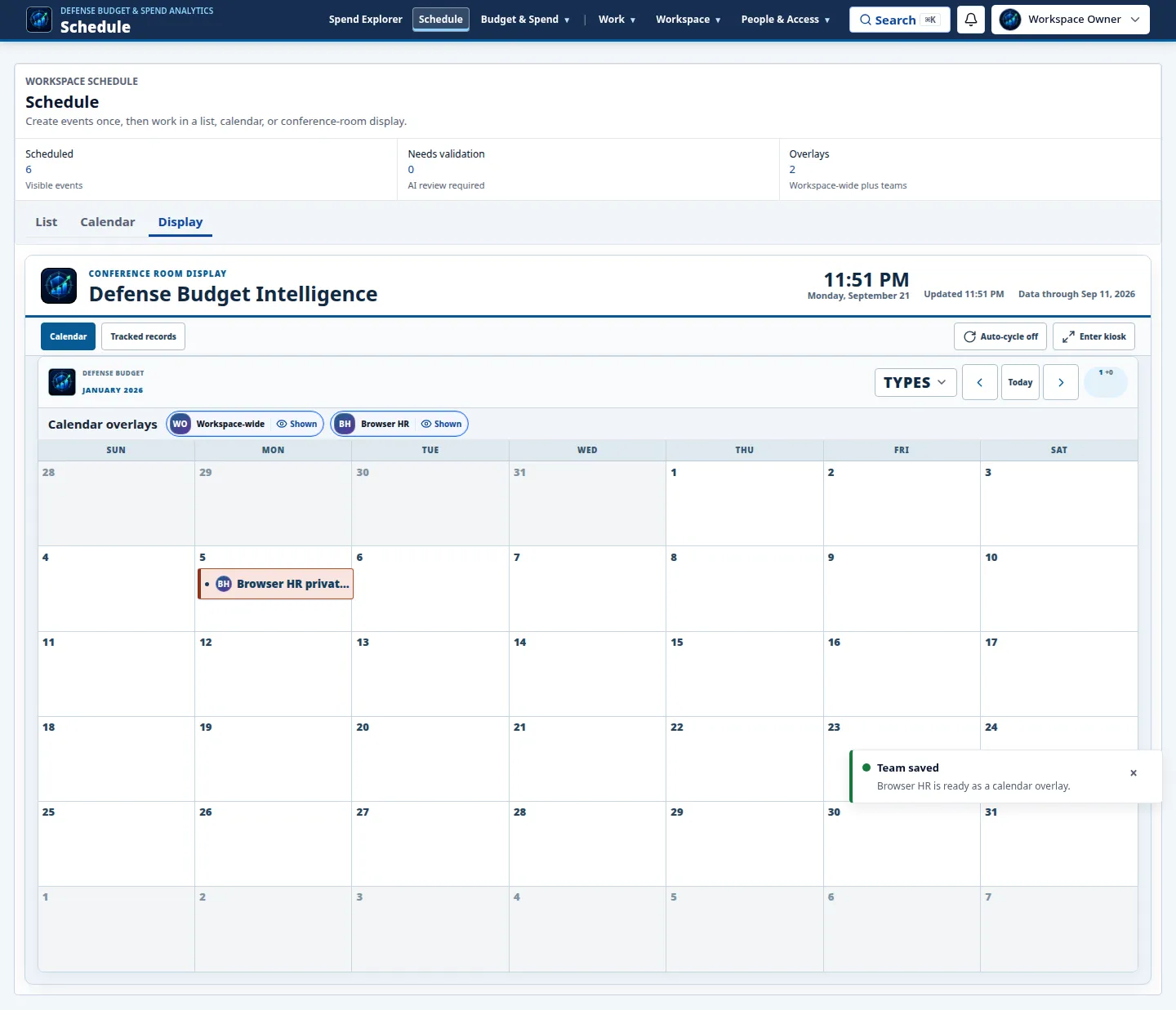
Defense Budget Intelligence
A source-grounded decision workspace that puts contract timing, team schedules, procurement changes, spending evidence, and follow-on signals on one operating surface.
Authenticated workspace · Public-source evidence · Role-based access
The decision surface
The Timeline leads with urgency, keeps the date scale pinned during deep review, and lets evidence appear as layers instead of competing dashboards.
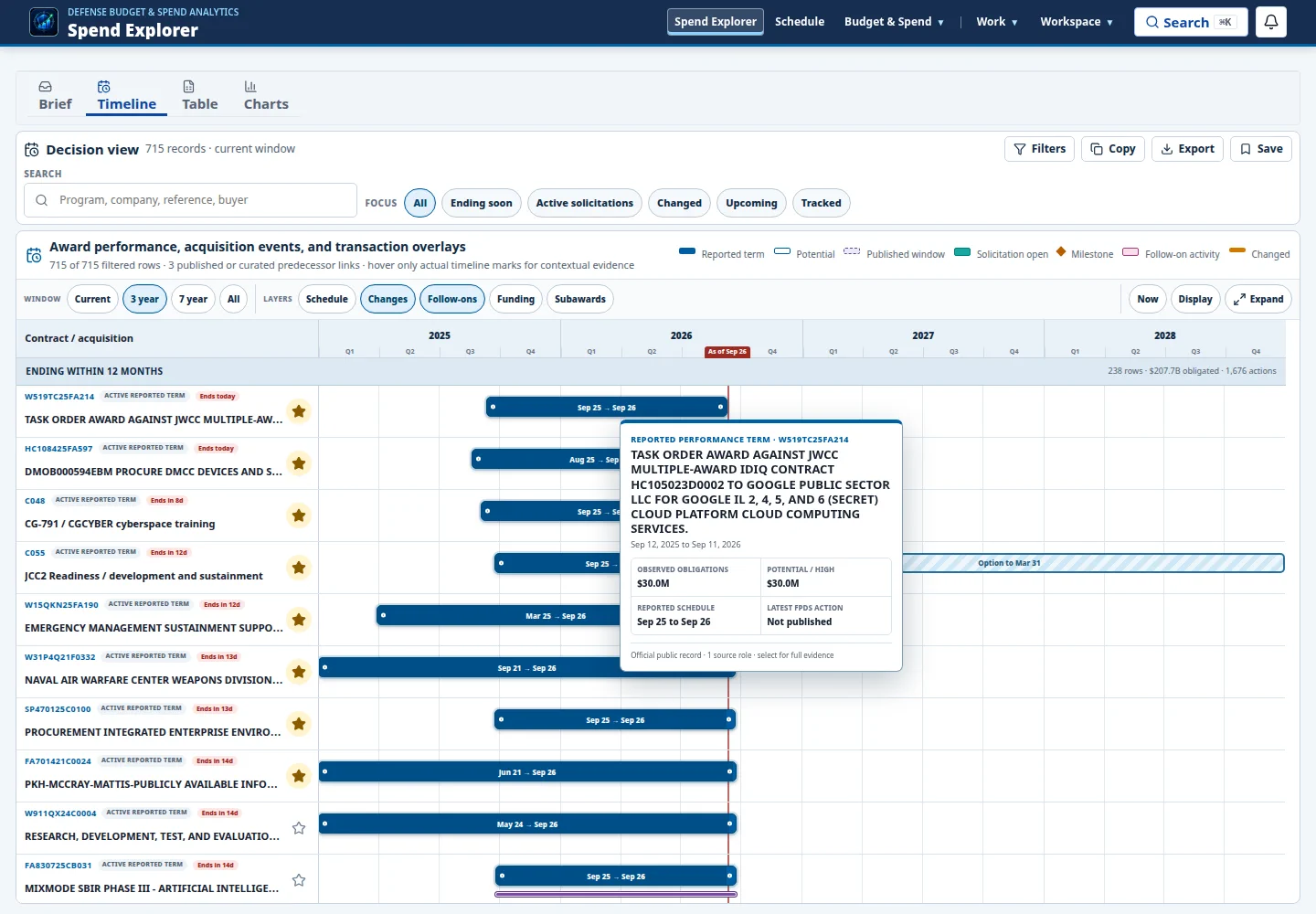
Find the records moving into a decision window.
Separate current movement from background noise.
See solicitation, option, and follow-on context together.
Carry provenance and coverage into every review.
Shared operating rhythm
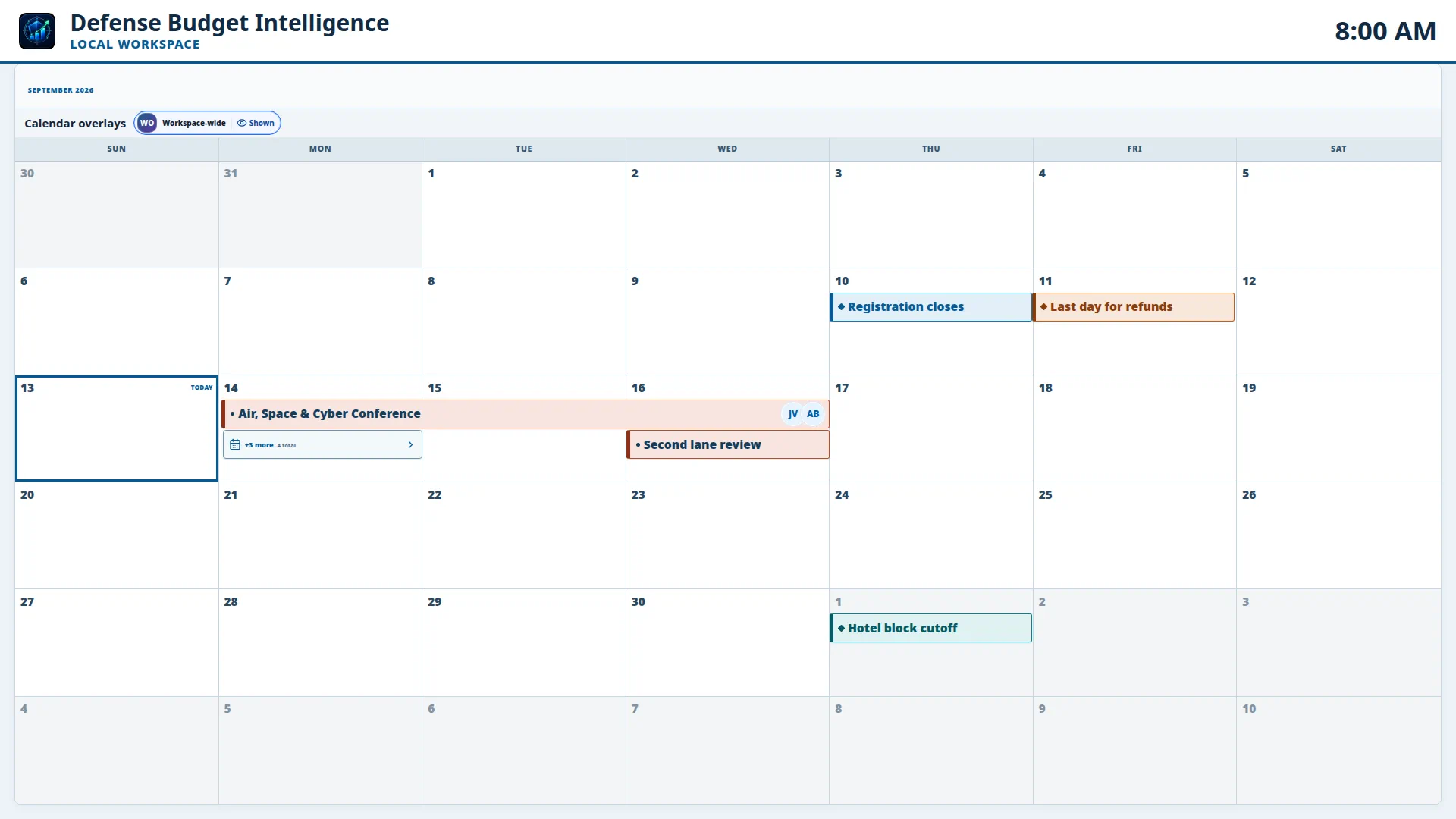
The Gantt explains the contract landscape. The Schedule turns it into coordinated work, then the wallboard projects the same trusted dates for a team or conference room.
Team calendar
Kiosk mode
Who it is for
One shared surface gives every role the same dates and evidence while preserving the distinctions between published facts, classifications, and analyst action.
Shape the pipeline
Verify the record
See the portfolio
Follow the money
What it does
The product compresses discovery, timing, money, and provenance into one review path while leaving the underlying evidence inspectable.
Start in the current decision window, then move between three-year, seven-year, and all-time views without losing context.
Surface new and updated procurement records, field-level changes, active solicitations, and time-sensitive schedule movement.
Layer reported schedules, solicitation windows, exact FPDS actions, follow-ons, funding, and bounded subaward evidence.
Move from budget request through account execution, awards, modifications, and source-linked public records.
Assign events to teams, layer workspace schedules, carry attendee context, and keep registration and review milestones visible.
Project the shared calendar or tracked records as a fullscreen, distance-readable operating picture for conference rooms.
Track records, assign events, save views, and preserve a workspace history across analysts, teams, and authorized agents.
Export filtered evidence with the view URL, snapshot time, method, stable record identity, and source lineage attached.
The working loop
Start with what is ending, active, changed, or upcoming.
Filter by organization, buyer, work category, status, or evidence layer.
Open the record and inspect dates, actions, money, provenance, and coverage.
Track the work, align the team calendar, and carry source-linked context into the next decision.
Next product phase
The next phase expands the existing verified augmentation pattern across industry events, contract records, and spending activity. New facts stay proposed until they are independently checked, source-bound, and safe to merge.
Continuously find relevant industry days, conferences, solicitations, awards, and spending changes.
Propose missing dates, official links, milestones, categories, money context, and record relationships.
Independently test identity, evidence, confidence, conflicts, and the safety of each additive change.
Move approved intelligence into the Gantt, team calendar, wallboard, alerts, and source-linked review.
Evidence, not theater
Defense Budget Intelligence distinguishes reported terms, exact joins, curated relationships, classifications, and known coverage gaps. That makes the workspace useful in a real review, not just impressive in a demo.
Defense Budget Intelligence
Open the workspace, or discuss how the Timeline, team calendar, and display surface fit your portfolio and capture workflow.